

Lazarus PE
Lazarus PE is the stick’s Windows 11 desktop, filling the role of MediCat’s
Mini Windows. You build it yourself with PhoenixPE from your own Windows ISO,
because WinPE images contain Microsoft files that can’t be redistributed. The
image stays lean: drivers (including Intel Wi-Fi and RST), networking and
Explorer, in its own look: the phoenix wallpaper and profile picture, dark
mode and a teal accent. The launcher, apps and startup live on the stick and
update without a rebuild. On Linux, pe/vm/build-vm.sh sets up the build VM
for you. See the Lazarus PE guide.
Until yours is built, Hiren’s BootCD PE covers for it, and the app launcher works there too.
The Lazarus launcher
Section titled “The Lazarus launcher”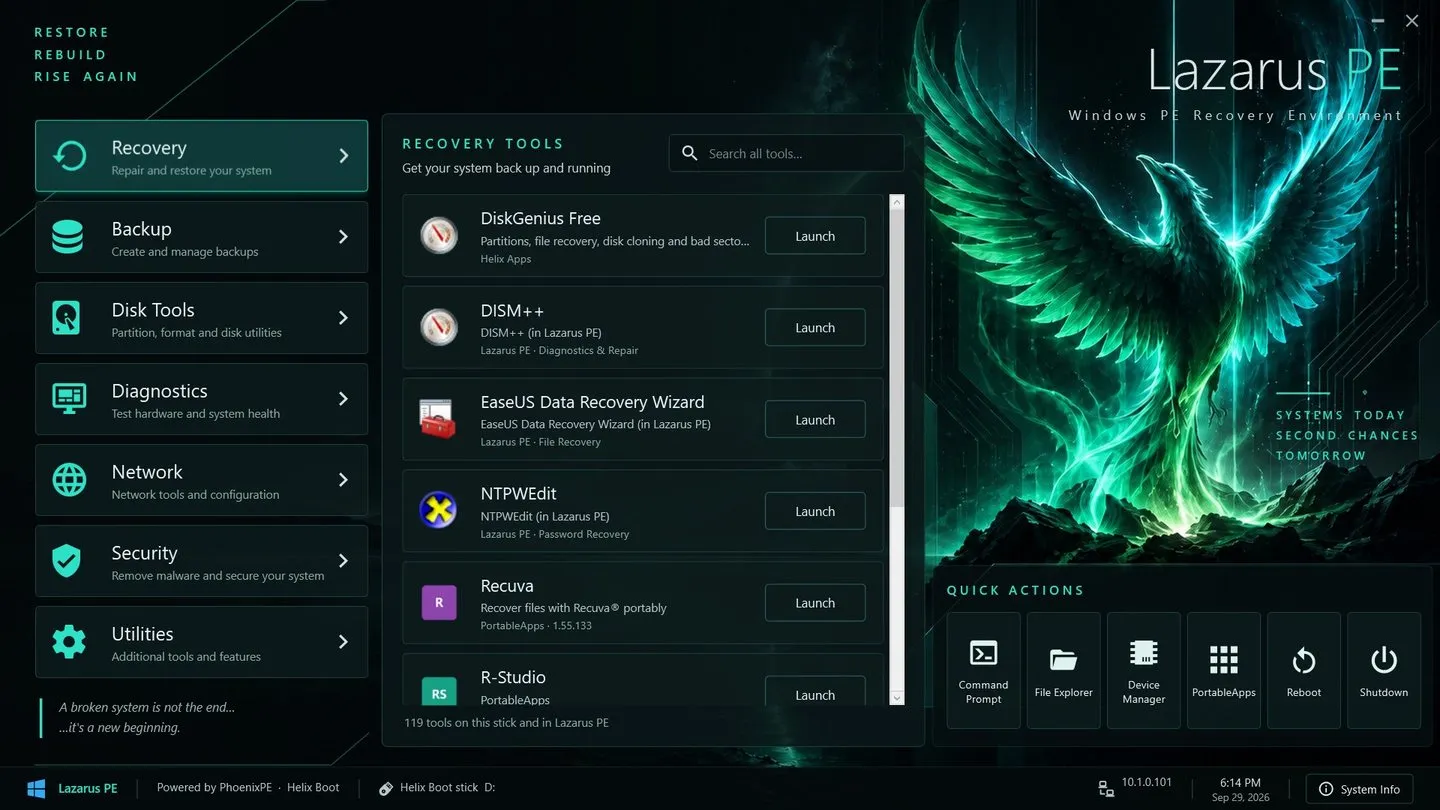
When Lazarus PE’s desktop loads, the Lazarus launcher opens full screen: every tool on the stick and in the PE, in seven categories (Recovery, Backup, Disk Tools, Diagnostics, Network, Security, Utilities), with search across all of them (just start typing), quick actions (Command Prompt, File Explorer, Device Manager, PortableApps, Reboot, Shutdown) and a System Info panel that also points out which drives hold a Windows install.
It lists your Helix Apps, every PortableApps.com app (including ones you add
from its App Store) and the PE’s own Start menu, the same tool only once. It
lives on the stick in Apps\Lazarus (from pe/lazarus), so a
refresh updates it without a PE rebuild. Categories, sorting rules, names and
quick actions are in launcher.json. Without it,
Lazarus PE opens the PortableApps.com menu instead.


© 2026 Helix Tech LLC. Helix Tech™ is a trademark of Helix Tech LLC.